Security Guard Management Software Built for Security Operations

Security Guard Operations Software
GuardMetrics connects the field and management workflows security operations depend on – scheduling, patrol verification, mobile reporting, dispatch, timekeeping, credential visibility, and operational review. Your officers get practical tools to complete and document the work. Your supervisors and managers get clearer records of what happened, what needs attention, and what requires follow-up.
Built for security guard companies and in-house security teams managing one site, multiple locations, or distributed operations.
See how GuardMetrics can support the actual workflows your officers, supervisors, dispatchers, schedulers, and managers use.
What Is Security Guard Management Software?
Security guard management software is a digital platform that helps security companies and security departments organize the work performed across officers, supervisors, sites, posts, and shifts. It brings the information used to schedule officers, manage sites and posts, verify patrol activity, document incidents, coordinate operational events, track time and qualifications, and review field records into a connected system.
A guard tour app focuses mainly on patrols and checkpoints. Generic workforce software focuses mainly on employees, schedules, or time. Security guard management software is broader because it supports the security-specific work that begins before the shift, continues in the field, and still requires management review after the activity is recorded.
GuardMetrics is designed around that complete operating context. The goal is not simply to replace paper or add another application. It is to give your team a practical way to connect coverage, field activity, reporting, follow-up, and operational visibility without forcing managers to reconstruct the shift from separate systems.
When Guard Operations Depend on Disconnected Systems
A schedule can show who was assigned, but it does not show whether a patrol was completed or an incident was documented clearly. A checkpoint scan can show that an officer reached a location, but it may not explain what the officer checked. A report can capture an event, but it loses operational value when supervisors cannot find it or connect it to the correct site, shift, or follow-up.
The gaps appear in ordinary operating questions:
- Was the post covered, and were open shifts resolved?
- Did your officer complete the required patrol activity?
- Was the right report form used for the site and event?
- Did dispatch receive the field update and close the operational event?
- Could your supervisor find the report, exception, or location-related record that needed review?
- Were credential and post requirements visible when the assignment was reviewed?
Connect the Work From Schedule to Supervisor Review
Security operations become easier to manage when each part of the workflow produces information the next person can use. GuardMetrics supports that connection through the following operating sequence.
- Set up the operating structure. Organize clients, sites, posts, users, roles, permissions, and site-specific requirements so activity is connected to the correct operating context.
- Plan and publish coverage. Use reusable schedule patterns and the live working schedule to assign coverage, review open shifts, publish the week, and manage employee acknowledgments where configured.
- Perform and document field work. Officers can complete guard tours, scan checkpoints, submit activity and incident reports, attach configured photos or signatures, and complete assigned forms or tasks from supported devices.
- Route operational events. Dispatchers can capture alarms, complaints, service requests, and other operational events, send assignments or notes, receive field updates, track status, and connect the event to incident documentation when needed.
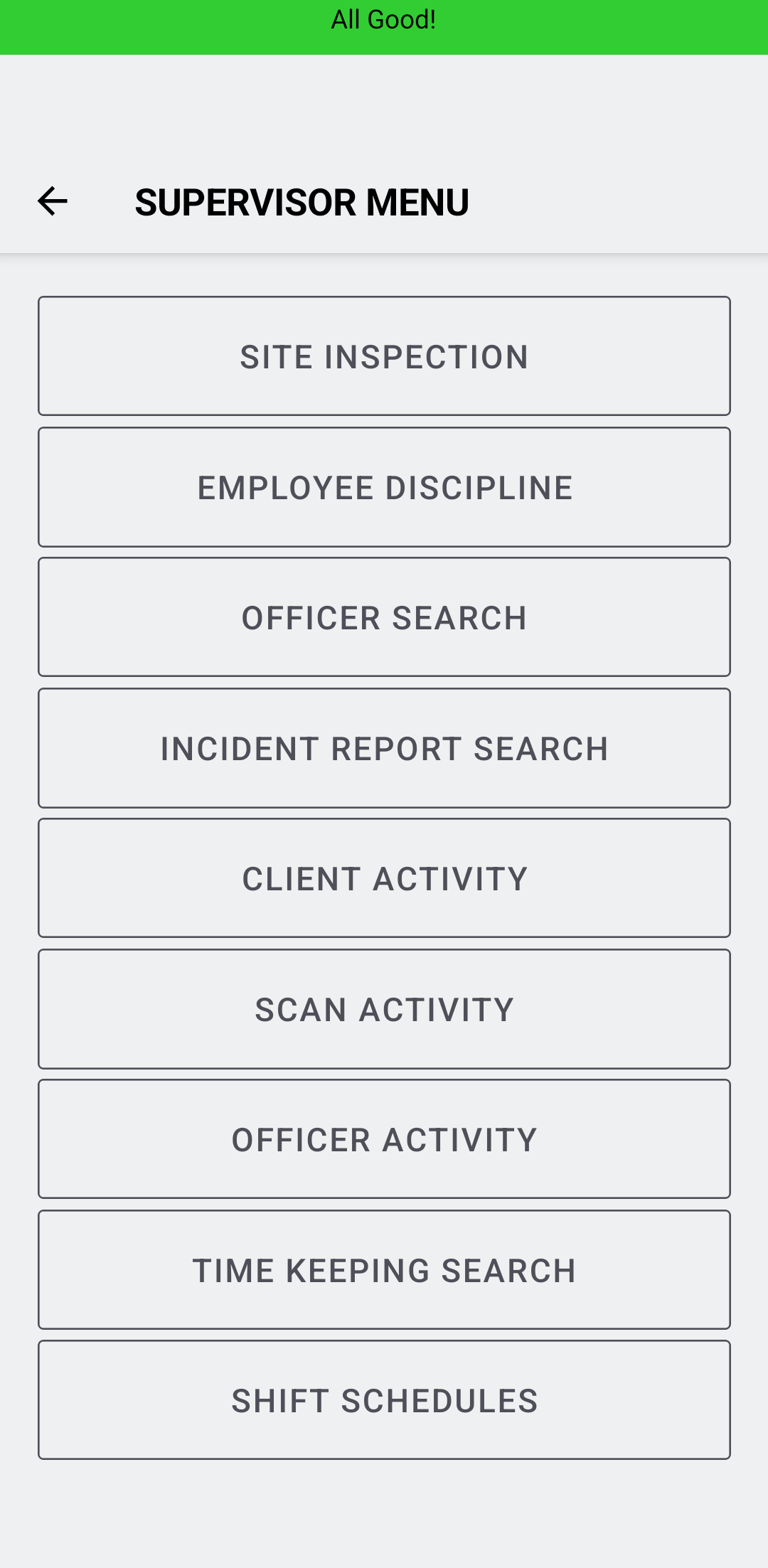
- Review activity and exceptions. Authorized supervisors and managers can use reports, searches, dashboards, Exceptions, Logbook, and other available review tools to find recorded activity and determine where follow-up is required.
- Use the record. The resulting information can support internal review, operational follow-up, payroll or billing reconciliation where enabled, and clearer communication about the security service performed.
Scheduling and Workforce Coordination
GuardMetrics security guard scheduling software supports reusable Master schedules and live Working schedules. Managers can review coverage by post or employee, publish schedules, manage open shifts and bidding, and review employee acknowledgments where configured. Assignment checks may surface overlaps, overtime, time-off, license, certification, or qualification concerns. Authorized managers still apply company policy and decide how to proceed.
Guard Tours and Patrol Verification
The GuardMetrics guard tour system helps officers document patrol activity and helps supervisors review whether required locations and tasks were addressed. Depending on the deployed workflow, records can include scheduled tours, QR or NFC checkpoint scans, timestamps, geo-tags, forms, notes, photos, and related activity information. Location records support review; they should not be described as guaranteed continuous tracking.
Mobile Reporting and Incident Documentation
A structured security guard reporting system gives officers a consistent way to capture activity from the field and gives authorized managers a clearer record to find and review. GuardMetrics supports configurable forms, required fields, photos, signatures, activity records, and security guard incident reporting software for events that require more detailed documentation.
Incident reports and daily activity reports serve different purposes. An incident report documents one specific event in detail. A daily activity report summarizes the broader shift. Teams that need a consistent starting structure can use the GuardMetrics security daily activity report template. Keeping those records structured and connected makes it easier for a supervisor to understand what happened without searching through handwritten notes, text messages, and separate photo files.
AI-Assisted Form Creation and Report Refinement
GuardMetrics can reduce two types of manual reporting work. An administrator can upload an existing paper form or describe the required form in natural language, and the AI builder creates a custom digital form for review and configuration.
GuardMetrics AI security guard report writing software can also help improve officer-written reports. AI Refine supports clearer structure, spelling, grammar, and readability while preserving the facts your officer recorded.
AI should not invent facts, replace the officer who observed the event, or remove supervisor review. Management retains control over the form, the workflow, the facts recorded, and the final use of the report.
Dispatch and Operational Event Follow-Through
Security guard dispatch software helps move an alarm call, complaint, service request, staffing issue, or other operational event from intake to assignment, field update, documentation, and closure. GuardMetrics can alert officers and permitted managers, receive updates in the dispatch queue, track whether the call remains in progress or has been closed, and connect authorized dispatch activity to incident reporting. It is a security-company operating workflow, not a full public-safety CAD system.
Credential and Qualification Visibility
Security guard compliance software can help management maintain records for licenses, permits, certifications, qualifications, expiration information, and post-specific requirements. Depending on setup, this information can support assignment review and qualification reporting. GuardMetrics improves visibility; it does not guarantee compliance, eliminate management responsibility, or universally prevent an authorized user from proceeding with an assignment.
Timekeeping and Administrative Reconciliation
GuardMetrics security guard timekeeping software can connect scheduled work with clock-in and clock-out records where the applicable rules and features are enabled. Managers can review scheduled and actual time, unscheduled activity, timekeeping exceptions, and available payroll reports or runs. Billing cycles and invoice workflows may also be supported when enabled. The platform supplies organized records; management remains responsible for review, approval, payroll, and billing decisions.
Post Instructions, Tasks, and Configurable Forms
Security work varies by client, site, post, and event. GuardMetrics can help operations make site instructions, post information, tasks, and configured forms available within the broader workflow. That gives officers a more consistent way to see what is expected and document what they completed. The exact forms, instructions, tasks, visibility settings, and required fields depend on the customer configuration.
Security Guard Management Workflows in GuardMetrics
Built for the People Running the Operation
Officers
Your officers need practical field workflows. They can use supported devices to review assigned work, complete patrol activity, submit structured reports, document incidents, attach configured supporting information, and respond to dispatch activity according to your operating process.
Supervisors and Field Managers
Your supervisors need to find what requires attention without reconstructing every shift. Depending on roles, permissions, site scope, configuration, and enabled features, they can search reports and activity, review patrol and incident records, see dispatch information, and use available exception or dashboard views to support follow-up.
Schedulers, Dispatchers, and Administrative Teams
Your administrative personnel need consistent records across sites and employees. GuardMetrics can support schedule preparation, open-shift workflows, dispatch queues, timekeeping review, qualification visibility, and payroll or billing reconciliation where those capabilities are enabled.
Owners and Operations Leaders
Your leadership team needs a usable operating picture across clients, sites, branches, officers, and recorded activity. GuardMetrics supports that visibility through structured field records, user and site organization, reporting dashboards, exception review, and documented operational workflows.
Easy to Adopt, Operationally Strong
Security software creates value only when officers and managers use it consistently. GuardMetrics is designed to make routine field activity practical while still supporting the operational structure management needs across sites, posts, forms, permissions, schedules, dispatch activity, and reporting.
Ease of use should not mean reducing every operation to the same generic workflow. GuardMetrics can be configured around the clients, sites, roles, forms, and operating requirements that matter to your team. The exact implementation should be demonstrated against your current process rather than assumed from a feature list.
See the Product Workflows, Not Just the Feature List
A useful product demonstration should show how the records connect. Ask to see a schedule by post and employee, an open shift, a patrol or checkpoint record, a field report, a dispatch event, an exception requiring review, and the reporting tools management uses afterward.
Bring one of your current incident forms, a representative site or post, and a real operating scenario. That gives your team a better way to judge whether the software fits how your officers, supervisors, dispatchers, and administrators actually work.

Enterprise Guard Operations
One enterprise security-services deployment supported nearly 30,000 users, more than 4,000 sites, and more than 50,000 checkpoints. Recorded GuardMetrics activity included more than 48 million checkpoint scans and more than 26 million submitted activities.
Site-Specific Patrol Accountability
A multi-branch security company used GuardMetrics across more than 700 sites and more than 11,000 checkpoints. Its workflow connected checkpoint activity with custom forms, required fields, scheduled tours, alerts, and management review. Recorded activity included more than 12.5 million checkpoint scans.
Centralized Exception Monitoring
A larger security provider used the GuardMetrics Exceptions dashboard, tour alerts, geofencing, off-site activity records, GPS context, and manager notifications across an operation with more than 600 users and more than 1,000 checkpoints. The deployment recorded more than 115,000 idle-alert events under customer-configured rules.
Figures are rounded from recorded GuardMetrics platform activity. These examples describe specific customer deployments and should not be presented as guaranteed or typical results.
Recorded Use Across Real Security Operations
The anonymous GuardMetrics security guard operations case studies document recorded platform use across enterprise, multi-branch, mobile-patrol, and centralized exception-monitoring operations.
See how different security operations used GuardMetrics for field accountability, reporting, patrol activity, and management visibility.
What to Evaluate in Security Guard Management Software
Do not evaluate a platform only by counting features. Test whether it supports the complete operating workflow your team needs.
- Is the software designed for security guard operations rather than generic workforce management?
- Can officers complete the core mobile workflows consistently on supported devices?
- Can sites, posts, users, roles, permissions, and forms be organized around your operating structure?
- Can patrol, reporting, scheduling, dispatch, timekeeping, and qualification records connect to the correct officer, site, and shift?
- Can supervisors find incidents, missed activity, open dispatch items, and other exceptions without reviewing every routine record manually?
- Which features, alerts, reports, and workflows depend on configuration, customer selection, role, permission, or site scope?
- Can the vendor demonstrate your own form, site structure, patrol requirement, or operating scenario rather than only a canned workflow?
Security Guard Management Software FAQs
What does security guard management software do?
Security guard management software helps security companies and security departments organize officers, sites, posts, schedules, patrols, reports, dispatch activity, time records, qualifications, and management review. Its purpose is to connect field work with the records supervisors and administrators need to manage the operation.
How is security guard management software different from a guard tour system?
A guard tour system focuses on patrol routes, checkpoints, scans, and patrol records. Security guard management software is broader. It can connect guard tours with scheduling, reporting, dispatch, timekeeping, qualifications, post information, administrative workflows, and management review.
How is GuardMetrics different from generic workforce-management software?
Generic workforce software usually centers on employee scheduling, attendance, or human-resources processes. GuardMetrics is designed around security operations, including patrol verification, checkpoint activity, incident and daily reporting, dispatch events, site and post workflows, supervisor review, and other guard-specific operating records.
Can GuardMetrics support multiple sites or branches?
Yes. GuardMetrics can organize clients, sites, posts, users, regions or branches, and accessible site scope. The appropriate structure depends on your operating model, permissions, customer requirements, and selected GuardMetrics capabilities.
How does GuardMetrics use AI?
GuardMetrics supports AI-assisted custom-form creation and report refinement. An administrator can upload an existing paper form or describe the needed form in natural language, then review and configure the resulting digital form. AI Refine can improve the structure, spelling, grammar, and readability of officer-written facts. AI should not invent facts or replace officer and supervisor review.
Does GuardMetrics automatically prevent scheduling or compliance mistakes?
GuardMetrics can provide visibility, reports, alerts, and assignment warnings based on available records and configuration. For example, scheduling checks may identify overlaps, overtime, time off, or license and certification concerns. These tools support management decisions; they do not guarantee compliance or universally prevent an authorized manager from proceeding according to company policy.
Is every GuardMetrics feature available in every deployment?
No. Available forms, alerts, reports, dashboards, permissions, mobile functions, scheduling rules, administrative workflows, and other capabilities depend on the customer’s selected features and configuration. Availability may also depend on the user role, site scope, permission level, and enabled workflow.
Who is GuardMetrics built for?
GuardMetrics is built for security guard companies and in-house security teams. It can support operations involving static posts, mobile patrols, multiple client sites, dispatch activity, incident reporting, scheduling, timekeeping, compliance visibility, and centralized management review.
What should we bring to a GuardMetrics demo?
Bring a representative schedule, patrol plan, incident or activity form, post requirement, dispatch scenario, or management-reporting need. The most useful demo shows how GuardMetrics may fit your actual operation rather than relying only on a general feature tour.
See How GuardMetrics Fits Your Security Operation
If your team is still reconciling schedules, patrol records, reports, dispatch updates, timekeeping, and qualification information across separate systems, the problem is not simply paperwork. It is the lack of a connected operating record.
Bring one of your current workflows to a GuardMetrics demonstration. We can show how the platform may support your officers in the field and give your supervisors, dispatchers, administrators, and managers clearer information to work with.
618 E South St
Orlando, FL 32801
Suite 500 Office 548
Phone: (800) 825-6858
support@guardmetrics.com