Security Guard Reporting System for Guard Companies
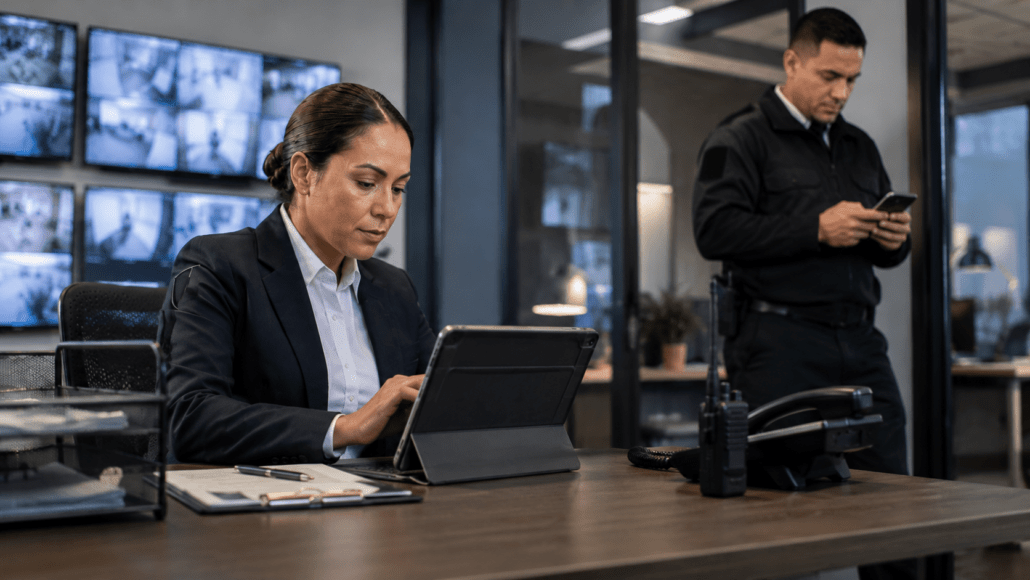
GuardMetrics helps security guard companies replace paper logs, delayed emails, and scattered report files with a connected reporting workflow. Officers can document activity from the field, supervisors can review and organize reports, and clients can receive clearer, more timely records without management having to reconstruct the shift afterward.
The reporting system is designed around the daily work of security officers, supervisors, managers, and clients—not generic form collection or disconnected field-service reporting.
What Is a Security Guard Reporting System?
A security guard reporting system helps officers document daily activity, incidents, patrol observations, visitor activity, inspections, and other field events in structured digital reports. It gives supervisors a faster way to review what happened, identify missing information, and provide clients with clearer, searchable records.
GuardMetrics supports this reporting workflow as part of a broader security guard management software platform built around field documentation, operational visibility, supervisor review, and client service.
When Security Reporting Depends on Paper, Email, and After-the-Fact Follow-Up
- Officers waiting until the end of a shift to recreate what happened
- Handwritten reports that are difficult to read, store, or search
- Incident details scattered across texts, emails, photos, and verbal updates
- Inconsistent report formats across officers, posts, and clients
- Supervisors spending too much time correcting incomplete reports
- Reports delivered to clients without an organized review process
- Photos or supporting information stored separately from the report
- Client questions that require management to search through old emails or paper files
- Important site conditions reported too late for timely follow-up
How a Modern Security Guard Reporting Workflow Should Work
1. Officers Document Activity Where It Happens
Officers should be able to record routine activity, incidents, site conditions, inspections, visitor information, and other relevant events from the field rather than waiting until the end of the shift.
A mobile guard reporting app gives officers a practical way to document activity while the details are still current.
2. Structured Forms Capture the Information Management Needs
Different events require different information. An incident report may need a detailed narrative and supporting photos. A daily activity report may need a chronological record of patrols, observations, and exceptions. A visitor or inspection report may require its own fields.
Structured and configurable report forms help security companies collect more consistent information across officers, posts, sites, and clients.
3. Supervisors Review Reports While the Information Is Still Useful
Supervisors should be able to review reports, identify missing information, correct authorized details, and determine whether additional follow-up is needed.
Reviewing reports sooner helps management address unclear documentation before the officer, witnesses, and operational details are harder to reach.
4. Reports Reach the Right People
Some reports require immediate delivery. Others may be reviewed first or delivered on a defined schedule.
A reporting workflow should help management control how daily activity reports, incident reports, patrol records, and other documentation are delivered to supervisors, clients, and authorized stakeholders.
5. Records Remain Available for Later Review
Reports should not disappear into an email inbox or filing cabinet. Managers and authorized clients need a practical way to search, filter, review, and retrieve prior activity when questions arise.
An organized reporting history helps security companies answer client questions and review recurring site conditions without reconstructing the operation from scattered records.
How GuardMetrics Supports Security Guard Reporting
GuardMetrics connects officer field documentation with the supervisor review and client-reporting workflows security companies need to manage daily operations.
Mobile Field Reporting
Configurable Report Forms
Daily Activity and Incident Reporting
GuardMetrics supports routine shift documentation as well as incident-specific reporting. Officers can create records that help management understand what happened during the shift and which events require closer review.
For incident-specific documentation, GuardMetrics also provides an incident reporting system designed to capture and manage event information.
For companies that depend on consistent shift summaries, GuardMetrics also supports security daily activity report software workflows.
Photos, Timestamps, and Supporting Documentation
Written descriptions are often more useful when they are supported by configured photos, signatures, timestamps, and other report information. GuardMetrics helps officers connect supporting documentation with the report instead of leaving important evidence scattered across separate messages and files.
Supervisor Review and Approval
Management can review submitted reports and determine whether information needs clarification or correction before it is shared according to the company’s reporting workflow. This gives supervisors a more organized way to maintain reporting quality without rebuilding every report manually.
Reports Dashboard, Logbook, and Filtered Review
Depending on permissions, customer features, and configuration, authorized managers can review time-stamped site activity in the Logbook, use available reporting dashboard views, and filter recorded activity by criteria such as date, client or site, and officer. Available officer-level reporting can also help managers review recorded activity for a selected officer and time period, while supported report outputs may be exported for additional review or follow-up.
Client-Ready Reporting and Portal Access
Reports can be organized for client delivery through email and client-facing reporting workflows. GuardMetrics also supports a branded Client Portal where authorized clients can review reports and related information without depending entirely on email attachments.
Build Custom Security Report Forms
See how a custom gate-check form can require an officer to document whether a gate is locked and capture a supporting photo when the form is connected to the appropriate checkpoint.
Want Clearer Security Reports Without More Manual Follow-Up?
Give Supervisors Better Visibility Before Small Issues Become Bigger Problems
A report that reaches management days later may explain what happened, but it may arrive too late to support useful follow-up.
Security officers often observe early warning signs before a situation becomes a major incident: repeated access problems, damaged property, unusual behavior, lighting failures, unsecured doors, recurring complaints, or conditions that require the next shift’s attention.
When officers can document those observations from the field, supervisors have a clearer opportunity to review what is developing, request additional information, notify the appropriate person, or make sure the issue is carried forward.
The goal is not more paperwork. It is fewer important details being lost between the officer, supervisor, and client.
Turn Reporting Into a Stronger Client-Service Workflow
Clients want to know what their security team did, what officers observed, which incidents occurred, and whether open issues received follow-up.
Sending separate report attachments by email can make that information difficult to organize. Clients may have to search through old messages, download files, and create their own filing system to find a report later.
GuardMetrics helps security companies provide a more organized reporting experience. Reports can be branded to the security company, reviewed according to the company’s workflow, and made available to authorized clients through the Client Portal.
This gives clients a clearer way to review daily activity, incidents, patrol records, and other documentation while helping the security company demonstrate the work being performed.
Security teams that want to improve report consistency can also use the free client-ready patrol reporting templates available from GuardMetrics.
Connect Reporting With Patrols, Dispatch, and Daily Guard Operations
Reporting becomes more valuable when it is connected to what officers were assigned to do and what happened during the shift.
A patrol report may be connected to a completed checkpoint. An unusual site condition may require an incident report. A dispatch call may create field updates and formal documentation. A daily activity report may combine routine patrol activity, exceptions, visitor information, and follow-up notes.
GuardMetrics helps security companies keep reporting closer to these related operational workflows:
- Guard tours and checkpoint verification
- Mobile field activity
- Incident documentation
- Daily activity reports
- Dispatch events and field updates
- Supervisor review
- Client-facing records
- Broader officer and operations management
For patrol verification, see the GuardMetrics guard tour system.
For event intake, field alerts, and operational follow-through, see the GuardMetrics security guard dispatch software.
These connected workflows help GuardMetrics function as more than a standalone form tool. Reporting becomes part of the broader security guard management process.
What to Look for in Security Guard Reporting Software
Before choosing a reporting system, evaluate whether it supports the way officers, supervisors, managers, and clients actually use security reports.
Important questions include:
- Can officers document activity from the field?
- Can the system support daily activity reports, incident reports, patrol records, inspections, visitor reports, and other security-specific forms?
- Can report forms be adapted to different sites, clients, and event types?
- Can reports include relevant photos, timestamps, narratives, and supporting documentation?
- Can supervisors review reports and request clarification when information is incomplete?
- Can management control when and how reports are delivered?
- Can clients receive reports without depending entirely on disconnected email attachments?
- Can prior reports be searched and filtered when questions arise?
- Can reporting connect with guard tours, patrol activity, incidents, and dispatch workflows?
- Is the system easy enough for officers to use consistently?
- Is it built around security guard operations rather than generic field-service reporting?
- Does the reporting workflow create clearer records without adding unnecessary administrative work?
The right reporting system should improve documentation and visibility without making the officer’s job or the supervisor’s review process unnecessarily complicated.
Built for Security Guard Operations—Not Generic Form Collection
GuardMetrics is designed around the reporting needs of security guard companies and security operations.
That means connecting officer documentation with patrol activity, incident reporting, daily activity reports, supervisor review, dispatch follow-through, and client-facing records.
GuardMetrics is designed to be easy to adopt while supporting the operational strength security guard companies need. The value is not simply replacing paper with a digital form. It is creating a cleaner reporting workflow from the field officer to management and the client
Security Guard Reporting System FAQs
What is a security guard reporting system?
A security guard reporting system helps officers document field activity, incidents, patrol observations, inspections, visitor activity, and other operational events in structured digital reports. It also gives supervisors a way to review and organize those reports and provide clearer records to clients.
What types of reports can security guard companies create?
Security companies may need daily activity reports, incident reports, patrol reports, visitor reports, inspection reports, vehicle reports, property-condition reports, disciplinary reports, and other site-specific forms. The reporting workflow should reflect the information required by the company, post, and client.
Can officers submit reports from a mobile device?
Yes. GuardMetrics supports mobile field reporting so officers can document activity from a phone or other supported device instead of relying only on handwritten notes or waiting until the end of the shift.
Can supervisors review reports before clients receive them?
GuardMetrics supports management review and approval workflows so authorized personnel can review submitted reports and determine whether clarification or correction is needed before the report is shared according to the company’s chosen process.
Can GuardMetrics clients access their reports online?
GuardMetrics supports a branded Client Portal where authorized clients can review reports and related information. This helps reduce dependence on scattered email attachments and gives clients a more organized way to find prior records.
Can reports include photos and timestamps?
Yes. GuardMetrics reporting workflows can include supporting information such as photos, timestamps, narratives, and other relevant report details. The available fields can depend on the form and reporting workflow being used.
Does reporting connect with guard tours and incident management?
Yes. GuardMetrics supports reporting alongside guard tours, checkpoint activity, daily activity reports, incident documentation, dispatch workflows, and broader security operations management.
Does reporting software replace supervisor review?
No. Reporting software helps officers submit information and gives supervisors a more organized way to review it. Management remains responsible for report quality, follow-up, client communication, and operational decisions.
How can I see whether GuardMetrics reporting is a good fit?
Request a demo focused on your reporting workflow. GuardMetrics can show how officers submit reports, how supervisors review information, how reports connect with patrol and incident activity, and how authorized clients receive or access records.
Ready to Improve Security Guard Reporting?
If officers still rely on paper logs, delayed emails, or disconnected report files, management may be spending too much time collecting information and too little time using it.
GuardMetrics helps security guard companies improve field documentation, supervisor review, client reporting, and operational visibility through a connected security reporting workflow.