
Security Guard Scheduling Software for Guard Companies
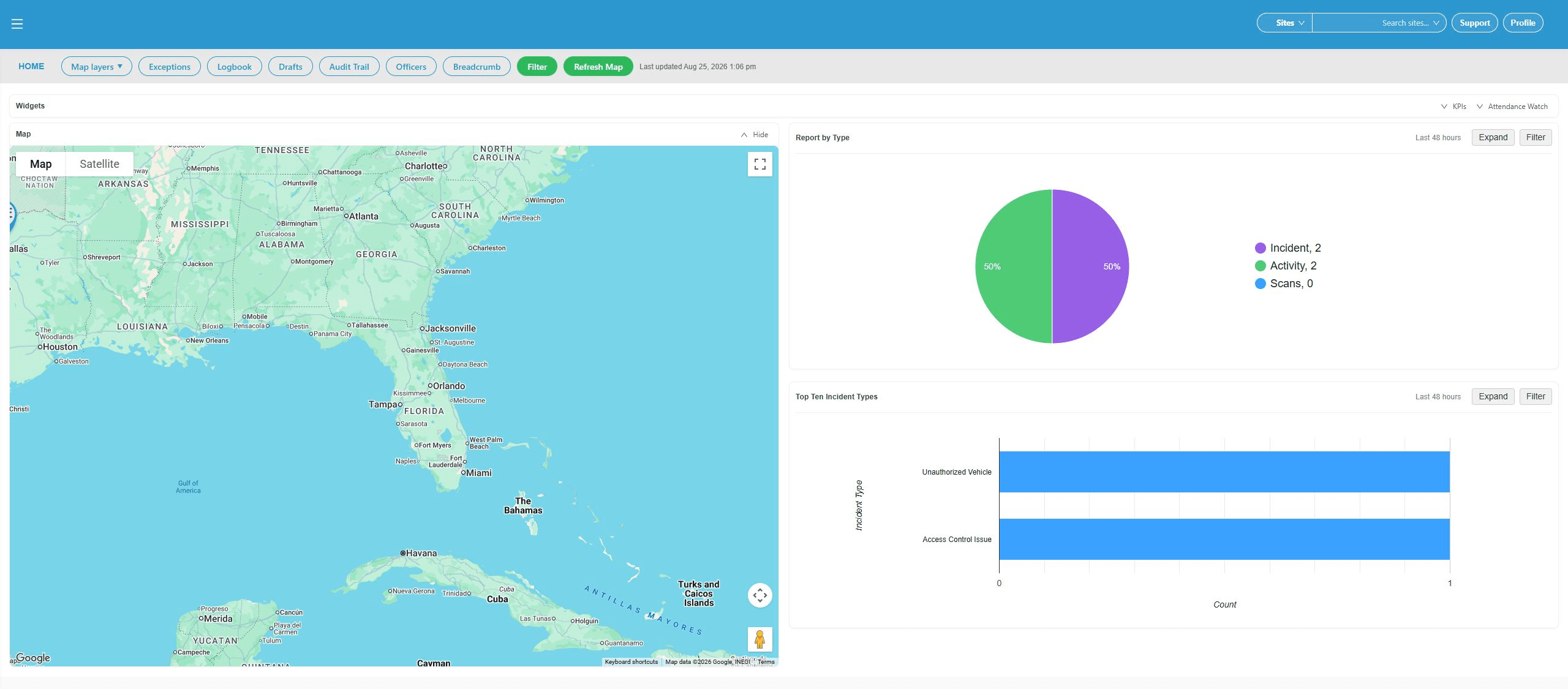
Scheduling Built For Security Operations
Your schedule is where client coverage, officer availability, and operational follow-through meet. GuardMetrics helps security guard companies build recurring post coverage, turn it into live weekly schedules, respond when the week changes, publish assignments, and connect scheduled time with the records that follow the shift.
Instead of coordinating sites through disconnected spreadsheets, texts, and phone calls, managers can review coverage by post or officer, make more informed assignment decisions, and give guards clearer access to the shifts they are expected to work.
What Is Security Guard Scheduling Software?
Security guard scheduling software helps guard companies plan coverage by site and post, coordinate officer assignments, review relevant post requirements, adjust live schedules, communicate assignments, and connect scheduled hours with timekeeping and other operating records. For managers coordinating multiple clients and sites, security officer scheduling software should make both post coverage and officer workload easier to review. GuardMetrics provides these scheduling workflows as part of broader security guard management software, so the schedule supports the security operation instead of functioning as a disconnected calendar.
Why Guard Scheduling Breaks Down Across Posts and Sites
Security scheduling becomes difficult when managers have to coordinate recurring coverage, officer availability, post requirements, call-outs, open shifts, overtime concerns, and client changes across several disconnected tools.
A spreadsheet may show the original plan, but it may not show the latest replacement, the officer’s time-off status, a credential concern, or whether the revised schedule reached the people expected to work it. As the number of clients, sites, posts, and officers grows, each manual handoff creates another place for information to fall behind.
The result is not simply an untidy calendar. It is more supervisor follow-up, slower coverage decisions, greater reconciliation work, and less confidence that the live week matches the plan.
- Recurring post coverage rebuilt manually week after week
- Open or unassigned shifts discovered too late
- Call-outs and no-shows handled through scattered texts and calls
- Schedule changes that are not clearly communicated
- Officer workloads reviewed separately from post coverage
- Time off, overlapping shifts, or overtime context missed during assignment
- License or certification concerns checked after the assignment is made
- Scheduled hours reconciled later with timekeeping, payroll, and billing records
Plan Recurring Coverage With a Master Schedule
Many security posts follow a normal weekly coverage pattern. The GuardMetrics Master schedule gives managers a reusable way to define that recurring coverage by post, day, time, and assigned officer instead of rebuilding the same plan from the beginning every week.
The Post Master view is the coverage template—not the live week. Managers can use it to establish the normal staffing pattern for locations such as a main lobby, north gate, loading dock, or mobile patrol, then use that template when they are ready to create Working schedules for selected weeks.
Separating the recurring plan from the live schedule helps management preserve a dependable baseline while still allowing the current week to change when an officer calls out, a client requests added coverage, or an assignment needs to be replaced.
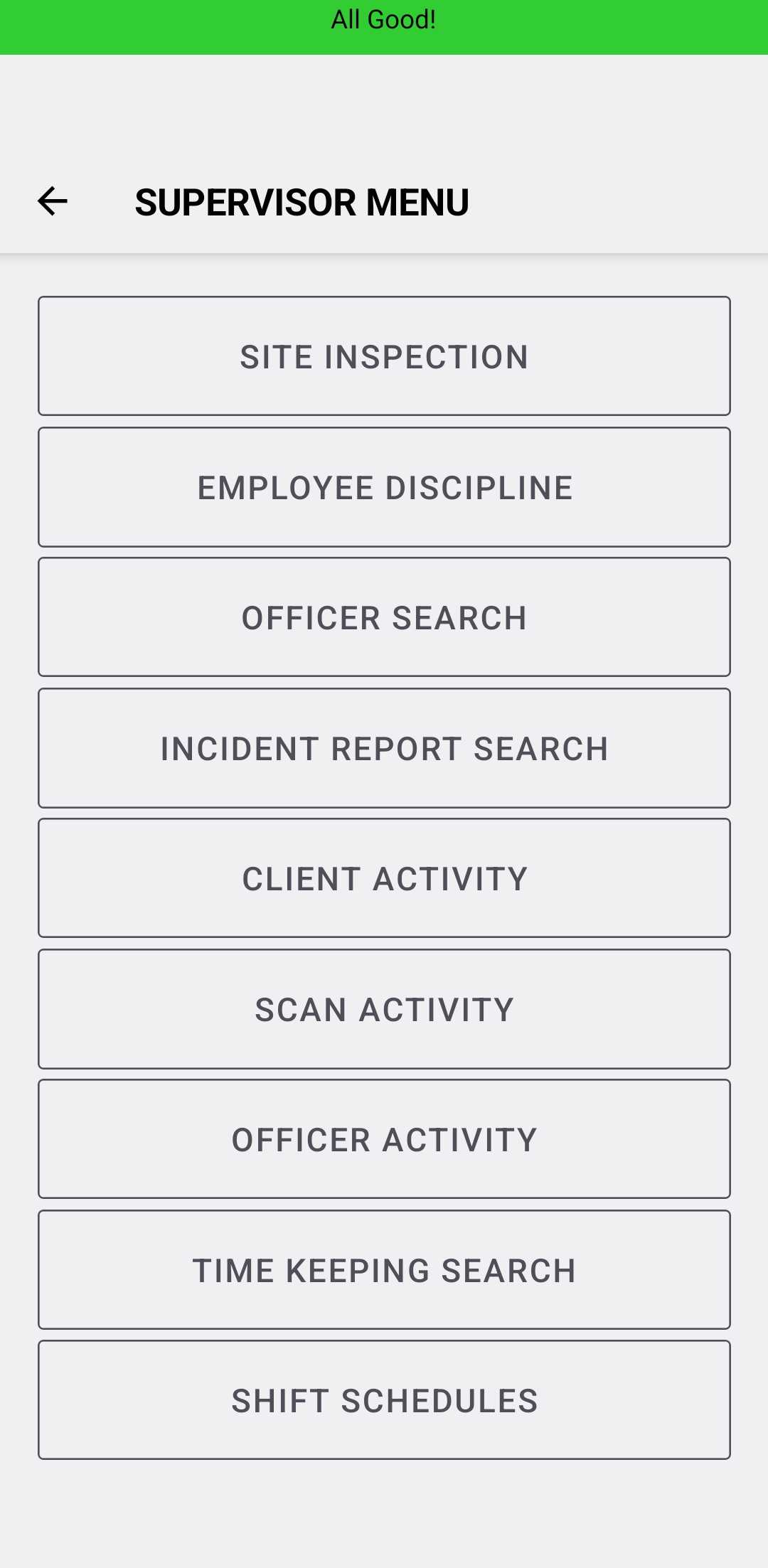
Turn the Master Plan Into a Live Working Schedule
When the recurring coverage plan is ready, a scheduler can use Create Working Schedule to generate the selected live week or weeks from the Master schedule. That gives the team a practical starting point without treating the reusable template as the final schedule officers will work.
If the selected Working week already contains shifts, GuardMetrics provides two deliberate choices. Add to Existing preserves existing Working shifts while adding the Master coverage. Overwrite All replaces the selected Working shifts after confirmation. The scheduler remains responsible for choosing the correct action and reviewing the result.
The Working schedule is where management handles the real week: assignments, open coverage, replacements, time-off context, acknowledgment status, and other schedule changes. Keeping Master and Working schedules distinct makes it easier to maintain the normal coverage pattern without losing the flexibility daily security operations require.
See the Master-to-Working Schedule Workflow
See how GuardMetrics helps your team build recurring coverage, create live weekly schedules, and manage the changes that occur after the original plan is made.
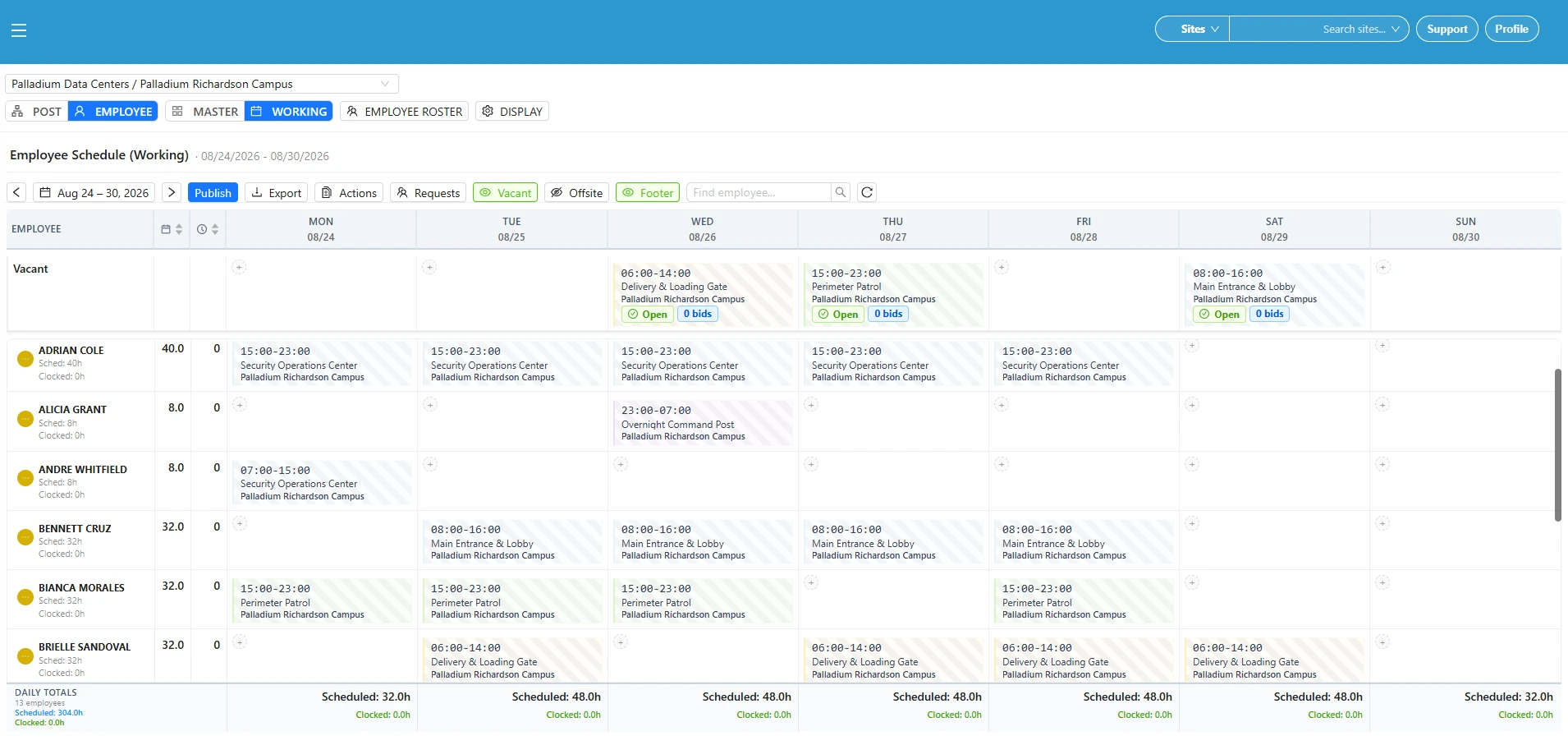
Review Coverage by Post and Workload by Officer
Post Working View
Employee Working View
Adjust Live Coverage When the Week Changes
1. Add or Edit the Shift
Create new coverage or revise the post, officer, date, time, and other permitted shift details when the operation changes.
2. Reuse Existing Shift Details
Duplicate or copy appropriate shift information when similar coverage is needed, then review the new record before relying on it.
3. Consolidate Coverage Where Appropriate
Use available merge tools carefully when separate shift records should be combined, then confirm that the resulting coverage is correct.
4. Record a No-Show
Mark the original assignment as a no-show when that reflects what occurred, keeping the exception visible instead of silently replacing the original record.
5. Add Replacement Coverage
Create the replacement shift or coverage row so the schedule can show both the original exception and the officer assigned to cover the post.
Fill Open Shifts With Officer Requests and Manager Review
When open-shift request or bidding features are enabled, an unassigned Working shift can be made available for eligible officers to request. This creates a clearer coverage workflow than relying only on group texts, individual calls, or an informal first-response process.
Depending on the company’s configuration, an open shift may use automatic assignment or require manager approval. When approval is required, managers can review pending requests, the requested shift or seat, and available conflict or eligibility context before deciding who should receive the assignment.
Some operations may also use multiple seats for identical coverage needs. These settings should reflect the company’s staffing rules and should be demonstrated using the customer’s actual configuration during a GuardMetrics demo.
GuardMetrics supports the request and review workflow while leaving final coverage decisions with management.
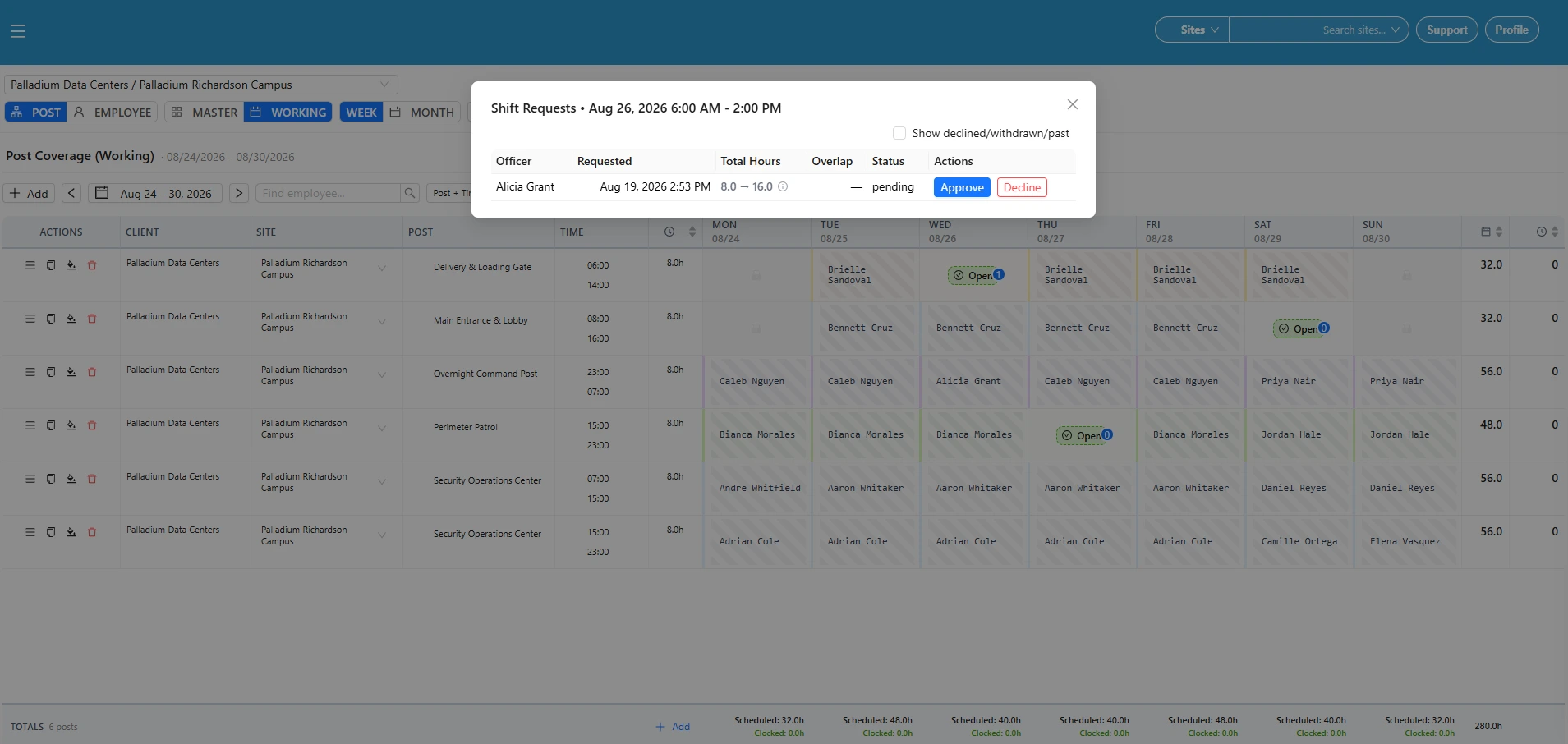
Publish Schedules and Confirm Officer Acknowledgment
A schedule change is only useful when the intended officer can see it. GuardMetrics allows authorized users to publish configured schedule communications to the officers expected to work the shifts.
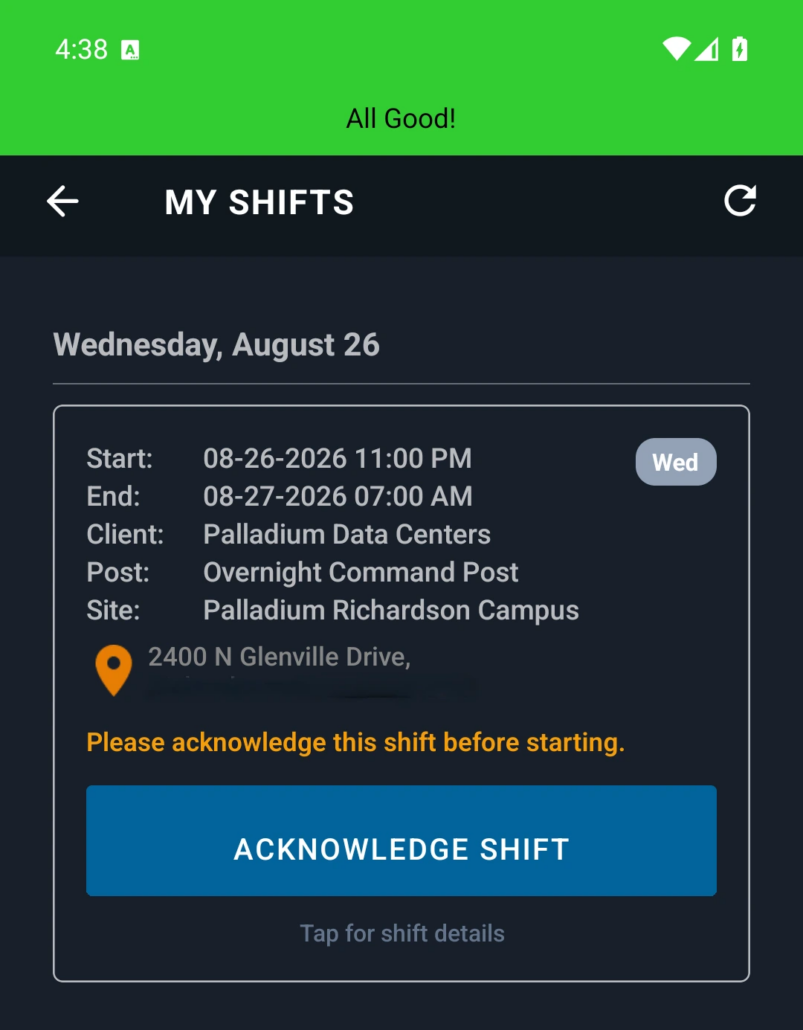
When mobile scheduling and acknowledgment are enabled, officers can review assigned shifts through My Shifts or Scheduled Shifts and acknowledge the schedule through the available workflow. Managers can then review acknowledgment status in the Working schedule instead of depending only on verbal confirmation.
Mobile access and communications follow the company’s enabled features, permissions, accessible sites, and settings. Publishing sends configured schedule information to intended users; it does not make the schedule public.
Support Qualification-Aware Assignment Decisions
Some posts require specific licenses, certifications, permits, or other credentials. A scheduling decision may also create an overlapping shift, overtime concern, or conflict with recorded time off.
GuardMetrics can display configured assignment warnings and relevant post requirements so managers have more context before finalizing the shift. This scheduling support works alongside security guard compliance software that helps management maintain visibility into credentials and qualification records.
These warnings support better decisions; they do not guarantee that every unqualified assignment will be blocked or that every requirement is current. The company remains responsible for maintaining accurate records, reviewing warnings, applying its policies, and confirming that the selected officer is qualified for the post.
Connect Scheduling With Timekeeping, Payroll, Billing, and Field Operations
The schedule defines who is expected to work, where, and when. The rest of the operation produces the records management needs to confirm what happened during and after the shift.
Scheduled Time and Actual Time
Security guard timekeeping software helps managers compare scheduled coverage with approved work records, attendance activity, and time exceptions instead of treating the schedule as proof that the shift was worked exactly as planned.
Payroll and Billing Support
Approved schedule and timekeeping information can support scheduling, payroll, and billing workflows when those features are enabled. Management remains responsible for review and approval before payroll or invoices are finalized.
Mobile Field Records
A mobile guard reporting app helps officers document activity connected to the site and shift, giving supervisors operational records beyond the schedule itself.
Patrol and Checkpoint Activity
A guard tour system helps document patrols and checkpoint activity performed during the assigned shift.
Dispatch and Operational Events
Security guard dispatch software supports the intake, routing, and follow-through of configured service calls and operational events that may affect field assignments.
Bringing these workflows closer together helps managers spend less time reconciling separate records and gives them a clearer operational picture from the original coverage plan through the completed field work.
What to Look for in Security Guard Scheduling Software
Evaluate whether the system supports the way your security company actually plans, changes, communicates, and verifies coverage.
- Can you maintain recurring coverage separately from the live weekly schedule?
- Can schedulers review coverage by post and workload by officer?
- Can managers see open shifts, no-shows, replacements, and last-minute changes in one Working schedule?
- Can officers request available shifts when that workflow is enabled?
- Can the company require manager approval before an open shift is assigned?
- Can officers view assigned shifts and acknowledge published schedules on mobile?
- Can schedulers see relevant conflicts, time off, licenses, certifications, and post requirements before finalizing an assignment?
- Can the schedule connect with timekeeping, payroll support, billing support, reporting, patrols, and operational follow-through?
- Can permissions, site rosters, and multi-site access reflect how your company is organized?
- Is the system built for security guard operations instead of generic workforce scheduling?
Security Guard Scheduling Software FAQs
What is security guard scheduling software?
Security guard scheduling software helps guard companies plan coverage by site and post, assign officers to shifts, adjust live schedules, communicate assignments, and connect scheduled hours with timekeeping and other operating records. A security-focused system should also support post requirements, open coverage, mobile officer visibility, and supervisor review.
How is a Master schedule different from a Working schedule in GuardMetrics?
The Master schedule is the reusable template for normal recurring coverage. The Working schedule is the live schedule for a selected week. Managers can use the Master plan to create Working weeks, then handle open coverage, replacements, acknowledgments, and other real-world changes in the Working schedule without treating the template as the final live week.
Can GuardMetrics help manage last-minute coverage changes and no-shows?
GuardMetrics gives schedulers tools to update the Working schedule, record a no-show when appropriate, and add replacement coverage. This keeps the exception and replacement visible so managers can confirm the post is covered.
Can GuardMetrics manage open shifts and officer requests?
Yes. When open-shift request or bidding features are enabled, an unassigned Working shift can be made available for eligible officers to request. Depending on configuration, requests may be automatically assigned or reviewed by a manager before the shift is filled.
Can officers view and acknowledge their assigned shifts on mobile?
When mobile scheduling and acknowledgment are enabled, officers can review assigned shifts through My Shifts or Scheduled Shifts and use the available acknowledgment workflow. Managers can review acknowledgment status in the Working schedule. Access follows the company’s permissions, sites, and communication settings.
Can schedulers see conflicts, time off, licenses, and certifications before assigning a shift?
GuardMetrics can show configured post requirements and warnings related to overlapping shifts, overtime, recorded time off, licenses, certifications, and other assignment context. These warnings support qualification-aware decisions while managers verify the final assignment.
Can GuardMetrics schedule officers across multiple sites?
GuardMetrics can support scheduling across the sites available within a user’s permissions. Site rosters can keep officer selection focused on a specific site, while accessible multi-site context can be used when roster filtering is disabled. Available sites and rosters follow each user’s permissions and company configuration.
How does scheduling connect with timekeeping, payroll, and billing?
The schedule records who is expected to work, where, and when. Timekeeping records help management compare that plan with actual work activity. When enabled, approved schedule and timekeeping information can support payroll and billing workflows after review.
Is GuardMetrics only a scheduling system?
No. Scheduling is part of a broader GuardMetrics security operations platform that can connect officer assignments with timekeeping, reporting, guard tours, dispatch workflows, credential visibility, and supervisor review. Feature availability depends on the company’s GuardMetrics configuration.
Ready to Improve Guard Scheduling and Coverage?
See how GuardMetrics can help your team plan recurring post coverage, build live weekly schedules, respond to open shifts and no-shows, publish assignments, and connect scheduling with the rest of your security operation.
618 E South St
Orlando, FL 32801
Suite 500 Office 548
Phone: (800) 825-6858
support@guardmetrics.com