
Your Officer Said No. She Reached the Patient’s Door Anyway.
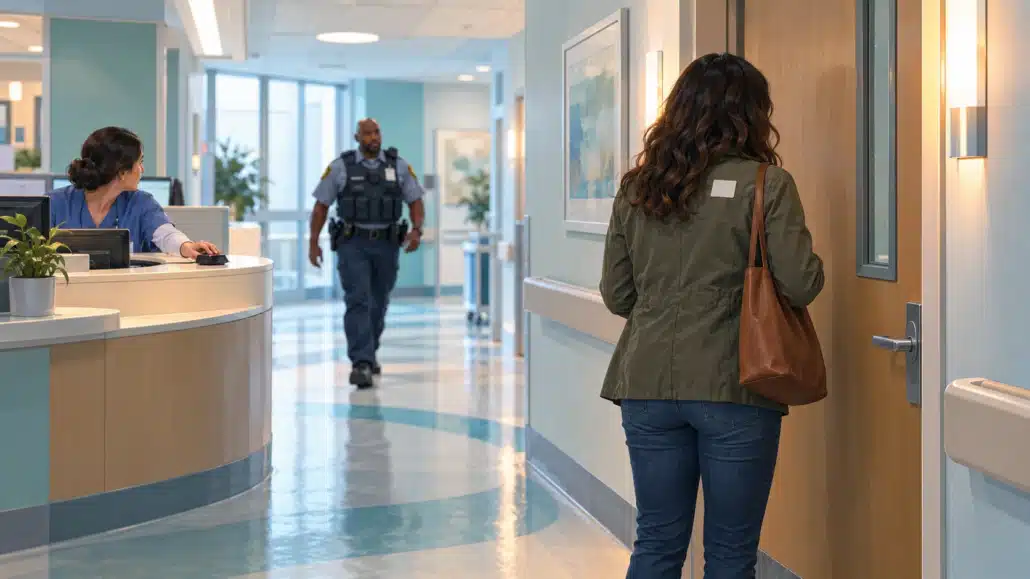
Hospital visitor access security depends on what happens after an officer refuses a pass. Follow one failed handoff, the security guard reports that explain it, and the conversation that helps protect your hospital account.
Subject: Visitor restriction on Unit C
Your lobby desk was told last night that this visitor was not approved for Nora. Half an hour later she was outside Nora’s room, raising her voice, and the unit clerk had to press the panic button. Nursing leadership wants an account at this afternoon’s safety huddle. Tell me what your officers did and how this happened.
Sonia, Director of Security
Nora is 81 and two days out of hip surgery. She had her reading glasses on and a paperback open on the blanket when she heard her daughter-in-law’s voice in the corridor. Celeste has been arguing with her for weeks about moving her into assisted living, and Nora had asked the unit for a quiet recovery: visits from her sister and one friend, and no one else. Celeste never got into the room. She didn’t have to.
Nora spent the rest of the evening asking nurses how someone she had asked the hospital to keep out got all the way to her door.
Sonia has to answer Nora, the unit staff, and the nursing leader who forwarded their complaint. She also manages your contract. Your company staffs two posts that matter here, the pass desk in the main lobby and the emergency department entrance, and her email is asking about both.
It has happened elsewhere. In August 2023, at a New Jersey medical center, the main lobby pass desk called an ICU about a visitor who claimed to be a patient’s spouse. The unit clerk checked an approved-visitor list the patient’s mother had set up a few hours earlier and told the desk the visitor wasn’t on it. Shortly afterward, the visitor turned up on the unit anyway. The clerk repeated the answer.
The visitor was hostile, the panic button was pressed, and a security officer escorted the visitor off the unit. Federal inspectors later cited the hospital over its processes for controlling visitor access to locked patient units. Their account of the August incident doesn’t say how the visitor got upstairs. Neither does Sonia’s email.
What happened between the lobby and Nora’s door
At 4:50 p.m. on Monday, the Unit C clerk updates the hospital’s visitor list with Nora’s instructions. The clinical team communicates the current visitor decision under hospital policy. Your officers carry out that instruction at their posts.
At 6:10, Celeste walks up to the pass desk in the main lobby and asks for Nora’s room. Owen, your officer, calls Unit C, and the clerk checks the list: not approved. Owen tells Celeste he can’t issue a pass and logs the call and the refusal at 6:12. His post orders also tell him to report a denied patient visitor to the security supervisor. He doesn’t.
At 6:38, Celeste checks in at the emergency department’s registration desk, which the hospital staffs, and gets a sticker for the ED waiting area. A few minutes later she walks past Rafael, your officer at the ED entrance, and through the doors toward the main corridor. Rafael’s post orders say visitors with an ED sticker stay in ED waiting unless the lobby desk issues them a pass. He saw the sticker, assumed she was looking for a restroom or the cafeteria, and let her go.
Nobody had told him about the refusal at the lobby, and nothing in his post orders said anyone would.
At 6:44, Celeste is outside Nora’s room. When the clerk tells her she isn’t approved, she raises her voice, and the clerk presses the panic button at 6:46. One of your officers escorts Celeste out of the building by 6:53. No one is hurt.
Sonia sees one hospital that let the wrong person through. You see two of your own posts that never talked to each other. Owen made the right call and kept it to himself. Rafael had a rule he didn’t enforce and a warning he never received. The hospital’s registration desk handed out an ED waiting sticker; what it checked before doing so belongs in a joint review. But most of the distance between the lobby and Nora’s door ran through your company.
Read the security guard reports before the huddle
Talk to Owen and Rafael separately, before either hears the other’s account. Pull the security guard daily activity reports for both posts, the supervisor’s log, and the response report. Ask Sonia to have the hospital’s unit and registration records available for the review.
Keep each officer’s later explanation separate from the entry made during the shift. If Rafael adds an account on Tuesday, identify it as a later statement. Sonia needs to know what was documented on Monday and what you learned by asking questions afterward.
Owen’s activity note, 6:12: “Unit C says visitor not approved. No pass issued.”
The entry documents the refusal and its time. It contains no supervisor notification, and Owen confirms he didn’t make one. He thought turning Celeste away finished the job.
ED registration, 6:38 (hospital record): Celeste checked in for ED waiting.
The record places her at a second entrance with an ED waiting sticker. Ask Sonia’s registration manager what the registrar checked and what restriction information that desk could see. Leave that answer with the people who hold the record and know the process.
Rafael’s post, around 6:41: No contemporaneous entry.
His later account describes the sticker and the direction Celeste walked. He didn’t ask where she was going, and he didn’t log her. Keep the time approximate unless another record establishes it.
Unit C panic alarm, 6:46 (hospital record), and your response report showing the escort completed by 6:53.
Those records document the alarm and completed escort. They do not establish when the responding officer arrived or which elevator Celeste used. A seven-minute interval between the alarm and completed escort is not a seven-minute response time.
Two of the four record reviews point straight back to your company. Coach each officer on his specific miss: Owen completed one assigned step and skipped the next; Rafael saw a visitor move beyond the area her sticker permitted and assumed it was harmless. Then fix the instructions connecting their posts.
If Owen uses a security guard reporting app, have him show you the entry he made and explain whom he contacted afterward. The report preserves his account. You still need a named recipient and a confirmed handoff before treating the notification as complete.
Tuesday’s safety huddle
Around the table: Sonia, the nursing leader, the hospital’s registration manager, and you. Bring the instructions for both posts and the records you reviewed. Sonia brings the hospital’s records.
The nursing leader opens with the line that has been going around since Sonia’s email: “Security was told no, and she still got upstairs.”
First, own your part. “Owen called the unit, got a no, and refused the pass. He should have told our supervisor, and he didn’t. Rafael saw her leave ED waiting toward the main corridor and didn’t check where she was going. Both of those are ours.”
Then explain the sticker’s limit at this hospital. “Your registration desk gave her an ED waiting sticker. Under the instructions for our post, that didn’t authorize a visit to Unit C. I’d like your registration manager to explain what that desk can see about unit restrictions so we can close the handoff together.”
Say what changes tonight. “Starting with this evening’s shift, a denied patient visit at either of our posts goes to our supervisor. The supervisor passes the instruction to every entrance we staff and records each officer’s confirmation. We’ll brief Rafael again on checking visitors who head beyond ED waiting. Sonia, let’s agree how registration receives the same instruction.”
If the nursing leader asks why the refusal never reached Rafael, be precise. Owen’s post orders required a call to the supervisor. He missed it. The supervisor had no written instruction to relay that denial to the ED entrance. You need to correct both.
Sonia also needs a deadline she can give nursing leadership. Tell her: “Before tonight’s posts are handed over, I’ll confirm that both officers have been briefed and that we’ve tested the relay. If any part is still unresolved, I’ll tell you which part and who is covering it.”
That gives her something she can check before another visitor arrives. A promise to remind everyone to be more careful would leave her with the same question tomorrow.
Give every post the same answer
Before the evening shift, you and Sonia agree on a restricted-visitor relay card for the posts your company staffs. Put the agreed procedure into the site’s post orders. If your officers read those instructions in a security guard app, open them on the devices Owen and Rafael use and walk through the steps together.
Keep the procedure separate from individual patient information. Sonia identifies the approved private channel for current restrictions. Your supervisor confirms that each affected post has received the instruction through that channel.
Restricted-visitor relay card
- Confirm the current decision. The unit clerk or charge nurse checks and communicates the current visitor instruction under hospital policy. A sticker, a family claim, or yesterday’s answer doesn’t override it. Refer conflicting instructions back to the designated hospital contact.
- The post that hears no reports it. The officer refuses the patient-visit pass, logs the time and action, and calls the security supervisor right away. If the supervisor doesn’t answer, use the backup contact agreed with Sonia. An unanswered call stays open.
- The supervisor relays it and confirms receipt. Pass the visitor identifier and relevant instruction to every entrance post your company staffs, using the private channel the hospital approves. Record who acknowledged it and when; follow up with any post that hasn’t answered. Keep patient details off open radio channels and out of public logs.
- Apply this hospital’s ED boundary. Under the agreed post instructions, an ED waiting sticker does not authorize an inpatient visit. Ask visitors heading beyond that area where they are going and use the hospital’s designated verification route. Requests for medical care go to clinical staff; the patient-visit restriction is not a direction to deny care.
- Relay changes and brief the next shift. When the unit changes its instruction, send the update through the same approved channel and record receipt. At relief, identify the current instruction, who confirmed it, and any unresolved notification. Refer uncertainty back to the hospital contact before acting on an old answer.
Have Owen practise with Rafael while the supervisor listens. Owen reports a denial, the supervisor relays it, and Rafael repeats the instruction back. Then ask what happens if Rafael is being relieved or the supervisor’s first call goes unanswered. Put the agreed backup names and contact details in the site instructions before the shift starts.
At Tuesday evening’s briefing, Owen stops at step 2. “I had the no,” he says. “I thought the no stayed at my desk.”
Rafael goes next. He reads step 4 twice.
Put security guard software behind the handoff
GuardMetrics makes site-level post orders available to assigned officers and supports mobile report forms for incidents and routine activity. Managers can review records that need attention. For Sonia’s account, those capabilities support written instructions for the two posts and records of what officers did during the shift.
Use the reports to examine whether the agreed steps were followed. Your supervisor still has to relay the current instruction and obtain confirmation; saving a report alone does not complete that work. See how GuardMetrics supports a hospital security operation.
If your company staffs hospital entrances, see GuardMetrics in a demo focused on the post orders and reporting your team would use when a refused visitor tries another door.

