
EASY SECURITY GUARD SOFTWARE
Give officers a security guard app for site instructions, configured patrol tasks and field reporting. Give supervisors a way to find and review the resulting records. Start by seeing how those everyday tasks would work for your team.
A security guard app built around the work on site
A security officer app should make the next task clear: consult the post instructions, follow the assigned round or open the appropriate report. GuardMetrics supports site-specific post orders, mobile report forms, assigned tours and configured checkpoint actions.
The guard tour app supports configured QR or NFC checkpoint scans and associated reporting tasks, depending on site setup, device capabilities and permissions. For location-related checks, configured GPS Ping functionality lets an officer submit a manual location check.
Explore the mobile security guard app and guard tour system for more detail. In a demo, concentrate on the tasks your officers would actually perform.
See a security guard reporting app in everyday use
Picture an officer finding damage at a service entrance. The officer needs to record the location, describe what was observed and explain the action taken. A useful security guard reporting app makes that work clear enough to evaluate before you commit to a new system.
With GuardMetrics, the reporting workflow can include:
- Open the appropriate report or activity form for the site.
- Complete the required information, including configured photos, signatures or comments where applicable.
- Submit the record so an authorized supervisor can find and review the activity.
The forms and review tools available to each user depend on your site’s setup, enabled features and permissions. See the incident reporting workflow for the full explanation.
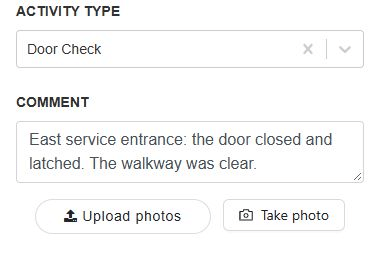
Make security guard reports easier to review
Ease of use matters on the management side, too. Once an officer has submitted a record, the next question is whether a supervisor can locate it, understand it and decide what needs follow-up.
Depending on permissions and setup, authorized supervisors can search and review selected activity. The Logbook also provides a view of time-stamped site activity. Reviewing security guard reports in that context helps management see what was documented and identify details that need clarification.
During your evaluation, ask to see security guard daily activity reports for a representative shift. Check whether a supervisor can understand the routine work and identify an entry that needs follow-up without asking the officer to reconstruct the entire shift.
Explore the broader security guard reports workflow, including management review and client reporting.
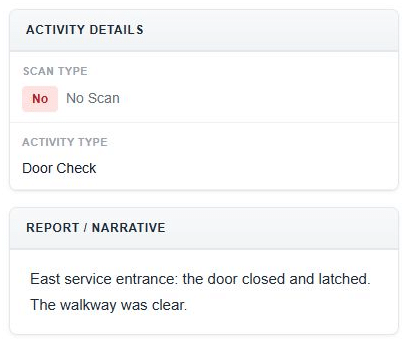
Start with the setup your site needs
Easy-to-adopt security guard software still needs to reflect the way your company works. Before officers begin using it, clarify:
- Which site instructions and report forms each assignment requires.
- Which users need access to the site, forms and review tools.
- Which patrol checkpoints, devices and permissions are needed.
- What officers and supervisors need to practice before the first shift.
Use one representative assignment to evaluate the setup and training involved. Walk through an ordinary task, then check the supervisor’s view. This gives you a practical way to judge the fit for your operation.
These field tasks sit within the wider security guard management software platform. Your demo can focus on the workflows that matter most to your company.
See how GuardMetrics would work for your team
Tell us about your sites, the tasks officers perform and the records supervisors need. Request a demo of GuardMetrics security guard software and ask to see a report completed from the officer’s side, followed by the management review.
You will have a concrete workflow to evaluate and a clearer understanding of the setup questions to discuss.